How aggregated program control works for G&Ts and munis
Last updated: October 15, 2026
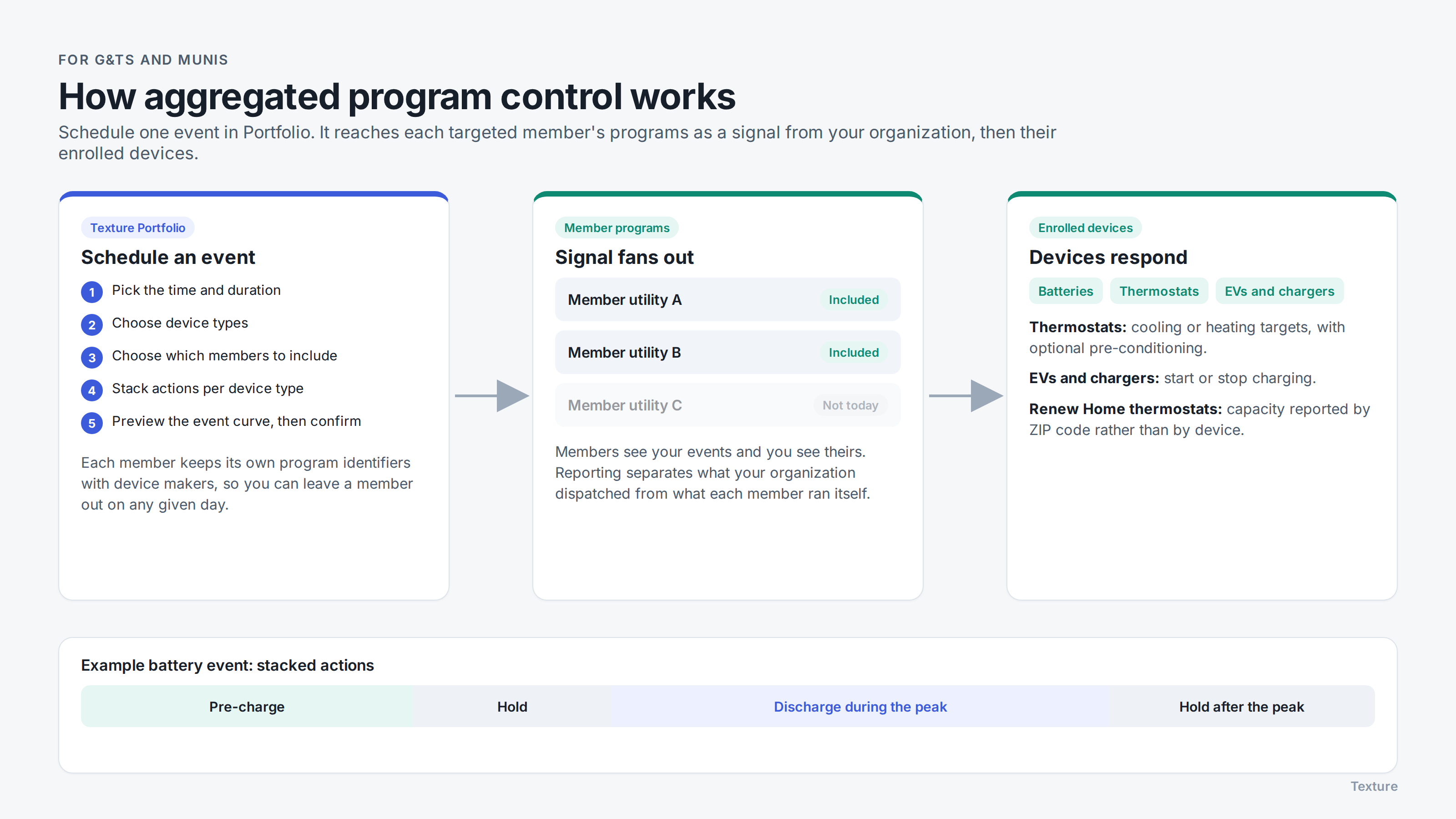
If you're a G&T or muni with member utilities, you can schedule events from Texture Portfolio that reach the enrolled devices in your members' programs. This is aggregated program control. This article explains how it works, what your members see, and how it fits with events your members run themselves.
How it works
Members enroll customers in their own programs. Each member utility runs its programs in its own Texture Platform workspace, with its own enrollment forms and branding. As devices are enrolled and approved, that capacity becomes available to you in Portfolio.
You schedule an event in Portfolio. Choose when and for how long, which device types to include (for example batteries, thermostats, or both), and which members to target: one member, several, or everyone in your portfolio.
You preview it. Before you confirm, Portfolio shows a preview of the expected event curve across the devices you've selected.
The event fans out to each member's programs. Texture sends it into each targeted member's programs as a signal from your organization, and from there to their enrolled devices.
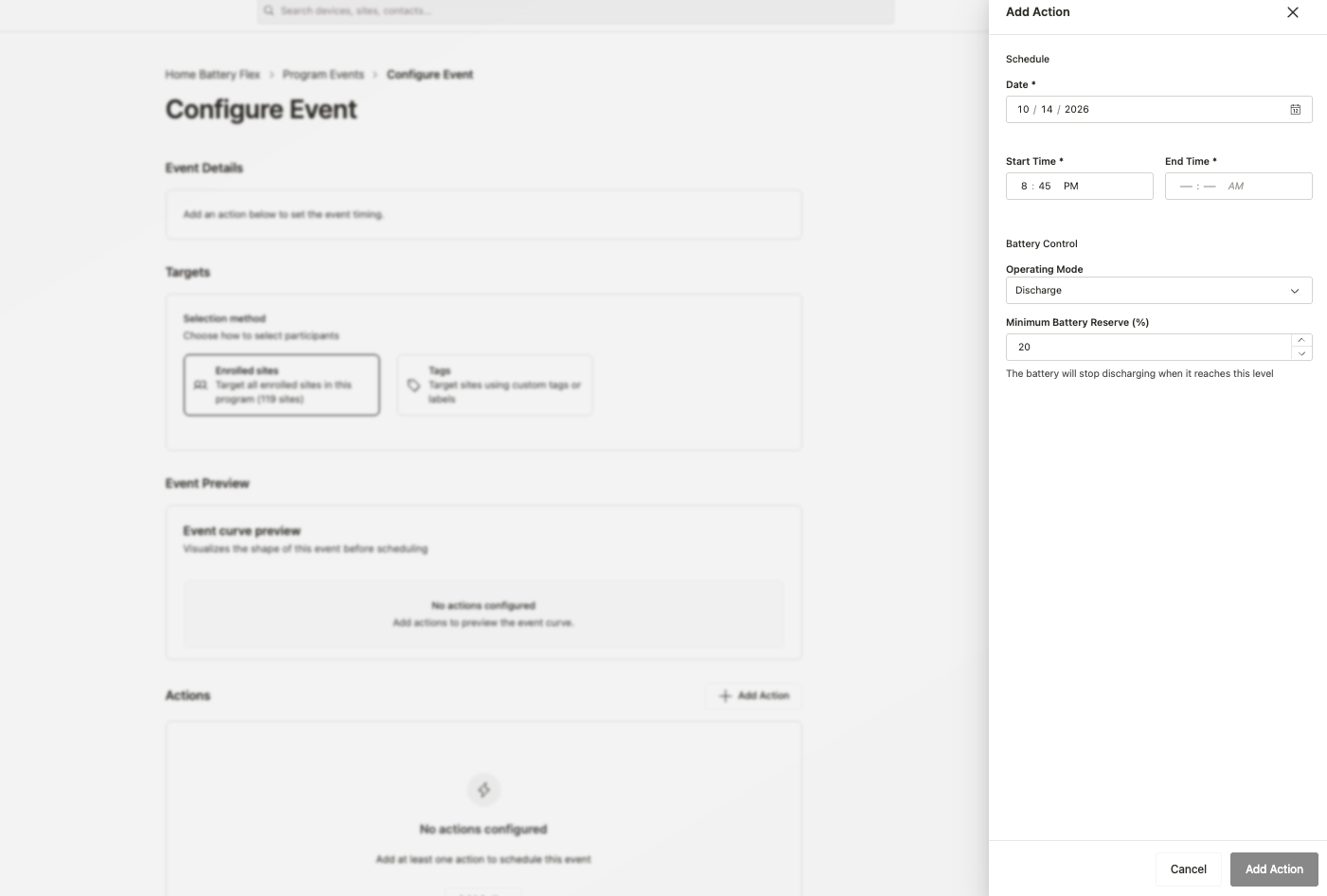
Setting the actions for each device type
You can stack actions within one event, so each device type does the right thing at the right time:
Batteries: typically pre-charge ahead of the peak, hold, discharge during the peak, then hold afterward if you want to avoid every battery recharging the moment the peak ends.
Thermostats: set cooling or heating targets, with optional pre-conditioning before the event.
EVs and EV chargers: start or stop charging, if your members run EV programs that include you.
Targeting members separately
Each member's programs have their own identifiers with device manufacturers. That means you aren't limited to dispatching everyone together: on a given day you can call an event for some members and leave others out, or use a different strategy for each.
Events your members schedule themselves
Members can still schedule their own events in their Platform workspace. Scheduling syncs both ways: you can see when a member has scheduled an event, and the member can see events you've scheduled for its programs.
Because your events arrive as a signal from your organization, Texture records them separately from the member's own events. Reporting shows what your organization dispatched and what the member dispatched independently, and how each performed.
What you see, and what stays with the member
Portfolio shows capacity, enrollments, and event results in aggregate, with breakdowns by member and device type. Customer-level personal information and real-time device telemetry stay in each member's workspace, governed by your data sharing agreements with your members.
Renew Home thermostats work differently
Thermostat capacity through Renew Home's Energy Shift Capacity program doesn't go through member enrollment forms: customers are already enrolled with Renew Home. Texture identifies that capacity in each member's service territory and reports it by ZIP code rather than by individual device. You can still include it in events from Portfolio. See Getting started with Renew Home via NRTC DERMS.