Texture Platform and Texture Portfolio: access for G&Ts and munis
Last updated: October 15, 2026
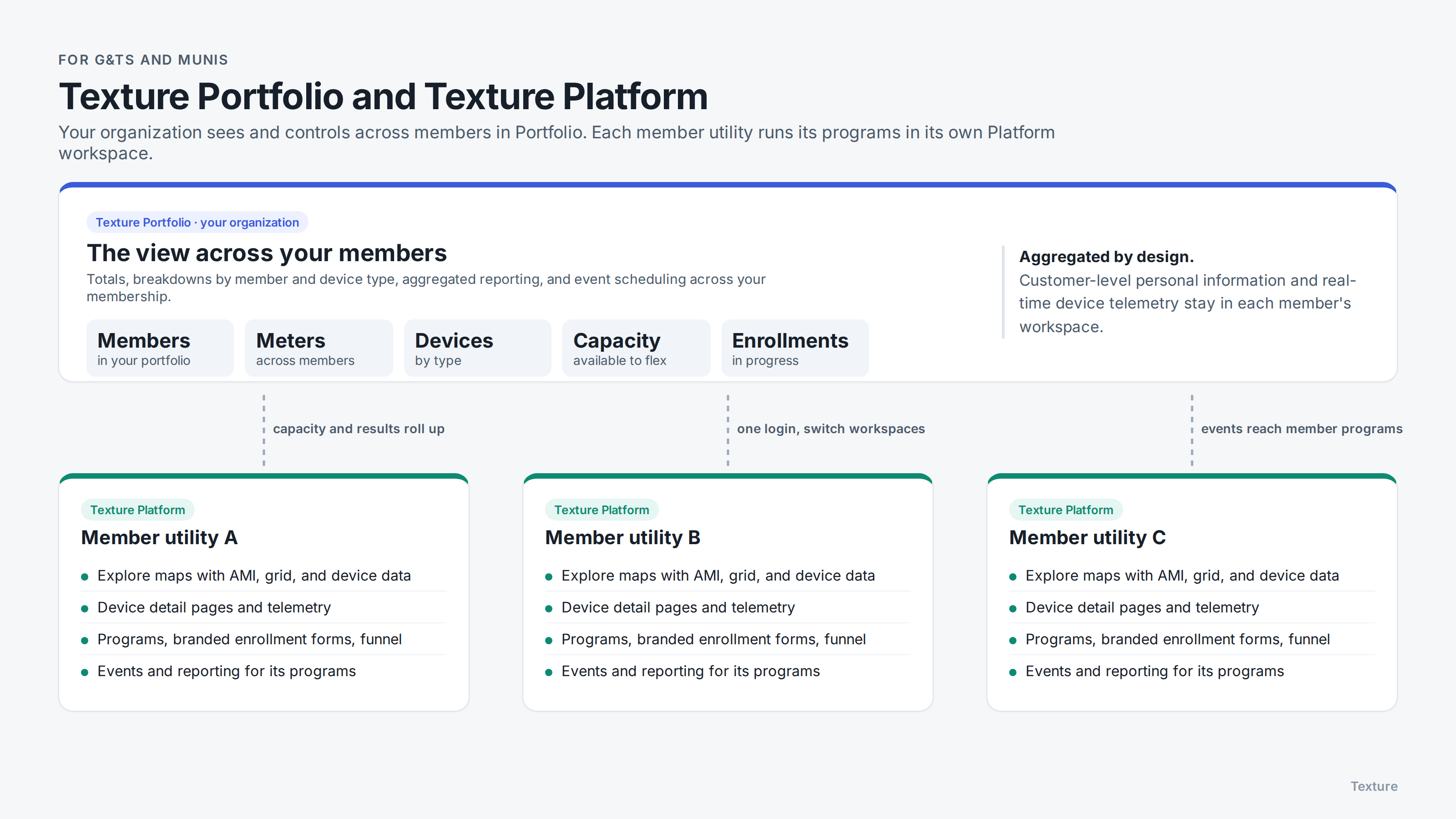
If your organization serves member utilities, such as a G&T, a joint action agency, or a municipal power group, Texture gives you two ways to work with your members' data and programs: Texture Platform and Texture Portfolio. This article explains what each one is, how they fit together, and which to use.
The short version
Texture Platform is the full, detailed experience. Each member utility gets its own Platform workspace for its programs, devices, and grid data.
Texture Portfolio is an aggregated view across all of your members. It's where you see totals and trends, report across your membership, and dispatch events that reach every member's programs.
It isn't one or the other. Most parent organizations use Portfolio day to day, with access to their members' Platform workspaces or shared devices when they need the detail.
Texture Platform: each member's workspace
Texture Platform is the complete product, set up per member utility. In a member's workspace you'll find:
Interactive maps in Explore, with AMI data, grid infrastructure, and devices
Individual device detail pages and telemetry
Program configuration, enrollment forms, and the enrollment funnel that shows where each applicant is in the process
Event scheduling and reporting for that member's programs
Each member's programs are set up in its own workspace, with its own branding and its own program identifiers with device manufacturers. That separation is what lets you report on, and dispatch, each member independently.
Member co-ops can also share their devices with your G&T or muni, at the level they choose, so you can view or control them from within your own Texture organization. See Sharing devices with another organization (associated organizations).
Texture Portfolio: the view across your members
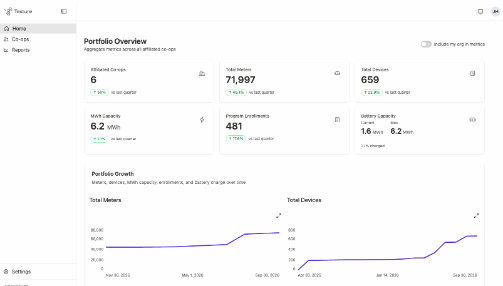
Texture Portfolio rolls up what's happening across every member assigned to you:
How many members are in your portfolio, and how that's growing
Totals across members for meters, devices, available capacity, and enrollments
Breakdowns by member and by device type, for example one member's EVs compared with its batteries and thermostats
Aggregated reporting across your membership
Aggregated program control: scheduling events that reach your members' enrolled devices. See How aggregated program control works.
Portfolio shows aggregates. Customer-level personal information and real-time device telemetry stay in each member's workspace.
How they fit together
There are two ways to set up the relationship between your organization and your members. Your Texture Solutions team will set it up to match your agreements.
Your organization hosts the member workspaces
Texture sets up one organization for your utility, with a workspace for each member. You sign in once and switch between member workspaces, so you're not juggling separate logins. See How to switch between orgs and workspaces.
When a member wants to sign in, you give its people access to its workspace. This suits organizations that run programs on their members' behalf, including members that never need to log in.
Each member has its own organization and shares with you
A member that runs its own programs keeps its own Texture organization and connects to yours as an associated organization. The member then decides what to share with you:
Which devices: described by conditions, such as all batteries or devices in a certain area, so devices enrolled later are included automatically.
What you can do with them: Monitor (view) or Control (view and send commands).
Where they appear for you: you choose which of your workspaces the shared devices land in, and your own roles and team permissions decide who in your organization can see or control them.
Shared devices are labeled with the member's organization, commands you send show on the member's side as dispatched by your organization, and the member can change or revoke what it shares at any time. See Sharing devices with another organization (associated organizations).
Which should we use?
You want visibility and control across your membership, such as capacity totals, enrollment progress, and dispatching for your power supply needs: use Portfolio.
You run programs, manage enrollments, or review grid data for a member: work in that member's Platform workspace.
Your members run their own programs and want to decide exactly what you see and control: use associated organizations, with Portfolio for your view across members.
You do a mix: most parent organizations do. Your Texture Solutions team can set up members either way.
Your Texture Solutions team will walk through the options with you during onboarding.