Locating and viewing the grid infrastructure for any grid element
Last updated: June 26, 2026
Find a substation, feeder, transformer, line, or pole — and see where it sits in the grid and what connects to it.
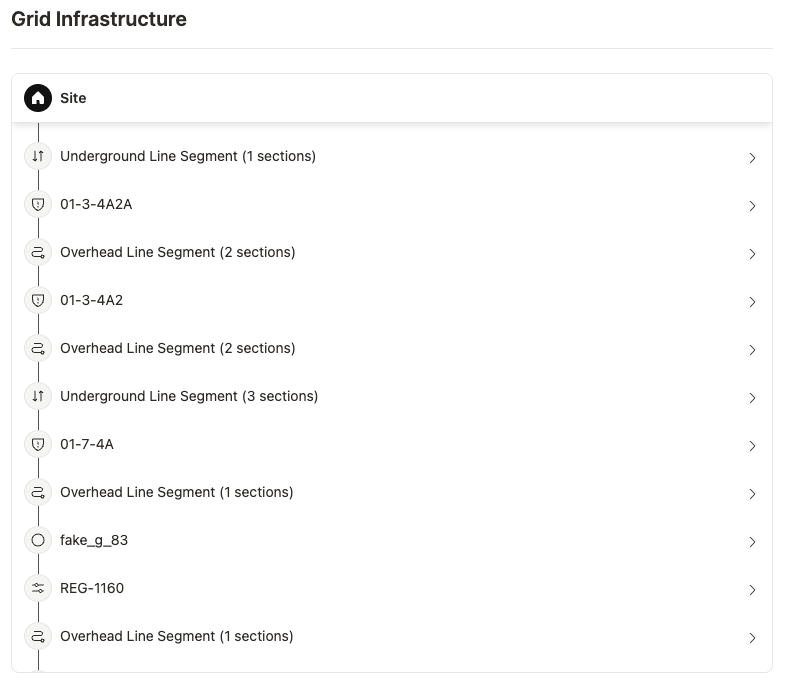
Every grid element in Texture maps into the grid hierarchy. From any element — a substation, feeder, transformer, line, or pole — you can see where it sits, trace upstream to its substation source, and view the infrastructure and meters connected to it. Here's how.
View a grid element's infrastructure
Open Explore. Select Explore from the left navigation.
Find the element. Search by its name or ID, pick it from a grid-element list, or click it on the map. (Zoom in to reveal finer elements such as transformers.)
Open the grid hierarchy. In the element's detail, open Grid hierarchy to see where it sits — traced all the way up to its substation source.
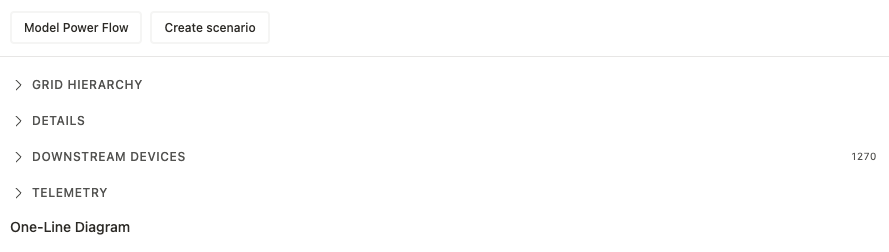
See what's connected. Review the connected infrastructure and the downstream meters that roll up to the element.
Check the details. The metadata comes from your GIS and connectivity data — conductor type, phase, and length for lines; rated kVA for transformers; and so on — plus telemetry where available.
Navigate from here. Jump to a connected element (for example, up to its transformer or substation) to keep moving through the hierarchy.
Already on a site? You can also open the grid hierarchy straight from a site's detail page — no need to start in Explore. It's the same hierarchy, opened from the site you're already viewing.
Good to know
Everything maps to a source. From any element you can trace upstream to the substation that feeds it.
Upstream today; downstream meters available. You can see the meters beneath an element now; richer downstream grid-element navigation is expanding.
Built from your grid data. The hierarchy comes from your GIS and connectivity imports.
Search to jump straight there. Global search finds an element by name or ID — handy for going right to a known substation or transformer.
Zoom reveals detail. Finer elements appear on the map as you zoom in.
Related articles
Grid Topology & GIS — how the hierarchy is built and what grid elements are
Explore — the map and list workspace
SCADA — substation data and one-line diagrams