Viewing transformer loading
Last updated: June 26, 2026
Distribution transformers rarely report their own telemetry, so Texture estimates loading by aggregating the meters downstream of each transformer and comparing that to the transformer's nameplate rating (rated kVA). Here's how to view it.
View a transformer's loading
Open Explore. Select Explore from the left navigation.
Find the transformer. Search by name or ID, pick it from the transformers list, or click it on the map. (Zoom in — transformers appear at closer zoom levels.)
Open the transformer. Click it to open its detail.
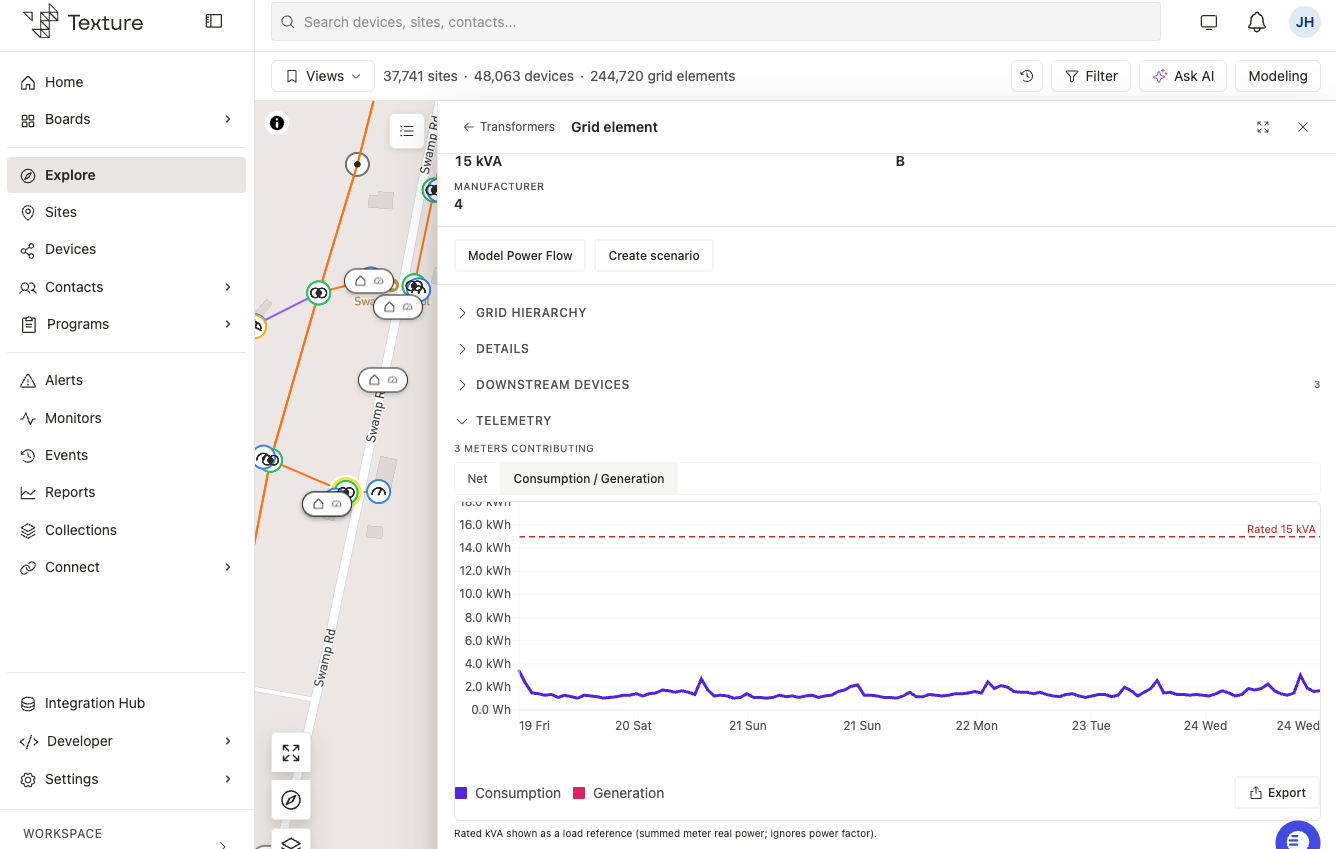
Read the loading chart. The chart shows the transformer's aggregated downstream load over time, with its rated capacity drawn as a dotted threshold line. Load can run above or below the line — and generation can push the other way — so both directions matter.
Check volt age too. Where downstream AMI 2.0 meters provide it, a voltage chart appears alongside the loading chart.
Compare across transformers. Use the transformers list (table) to see all transformers with their aggregated values and downstream meter counts; sort or filter, then click into any one.
Good to know
Loading is computed from downstream meters. There's usually no direct telemetry on a distribution transformer, so its load is the sum of the meters beneath it.
Rating comes from your grid data. The nameplate rating (rated kVA) is drawn from your GIS data — if it looks off, confirm the correct rating field with your team.
Transformer banks combine. A bank's rating is the combined rating of its units (for example, three 37.5 kVA units = 112.5 kVA).
Utilization flags are coming. Indicators for how often and how much a transformer is overloaded are a fast-follow; today you see load against rating.
Meter data can be delayed. Because AMI data can arrive a day behind, the most recent load reflects that lag.
Related articles
Transformer Loading — how loading is computed and what's planned
Grid Topology & GIS — meter-to-transformer matching and ratings
Meters — the AMI data that's aggregated
Explore — find transformers on the map and in lists